 Cursor Flow
Installing Cursor Flow on Windows
Cursor Flow is currently an early release distributed directly from our website. It is not on the Microsoft Store yet. Windows SmartScreen may warn because this is a direct download from a new publisher, and the Windows app is not code-signed yet. Confirm that the file came from cursorfllow.com and that its SHA-256 matches the Windows installer hash on the download page before opening it. You do not need to turn off Windows security.
Why does Windows show this?
SmartScreen uses file and publisher reputation to assess downloaded apps. A new unsigned file has no established publisher reputation, so Windows may show “Windows protected your PC” or “Unknown publisher”. This warning is not a guarantee that a file is safe or unsafe.
Only continue after confirming that you downloaded the file from cursorfllow.com, that the filename, version and SHA-256 match the download page, and that you trust the file. A matching hash confirms that you have the same release file; it is not a guarantee that software is safe.
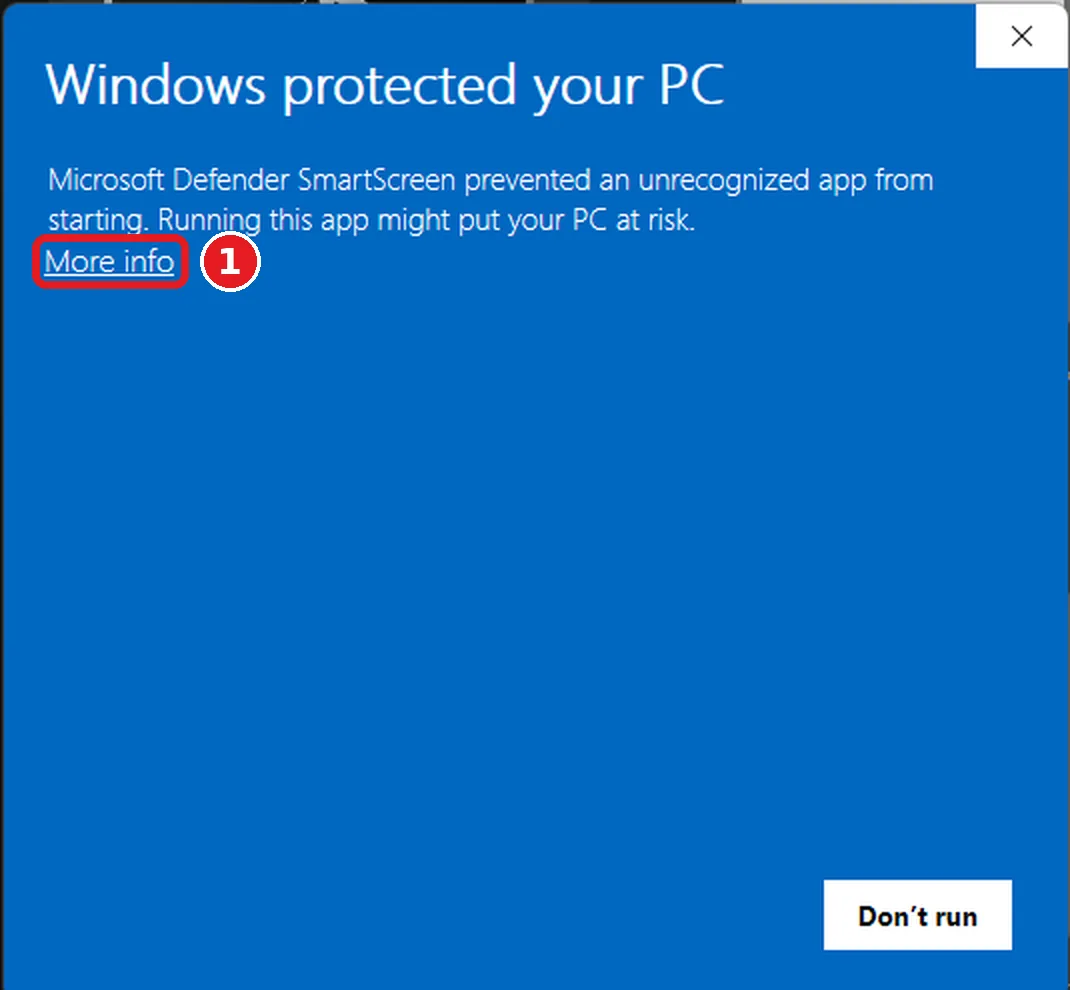
Step 1: Review “More info” after verification
After verifying the source and SHA-256, you can choose More info to review the app details. If anything looks wrong or you are unsure, choose Don’t run and contact support.
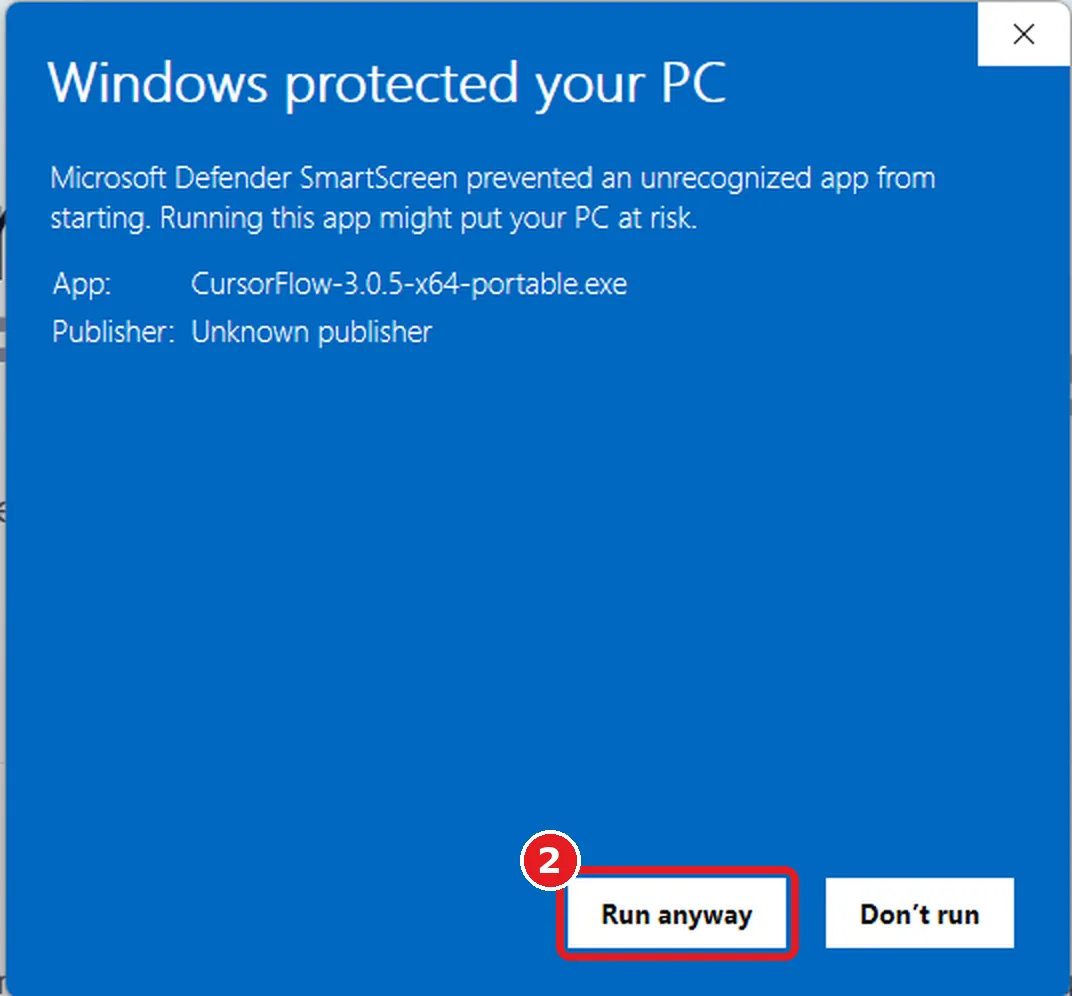
Step 2: Continue only if you trust the verified file
If the source and SHA-256 match and you trust the file, choose Run anyway to start the installer. Otherwise, stop and contact support. The version shown in your window may be newer than this example.
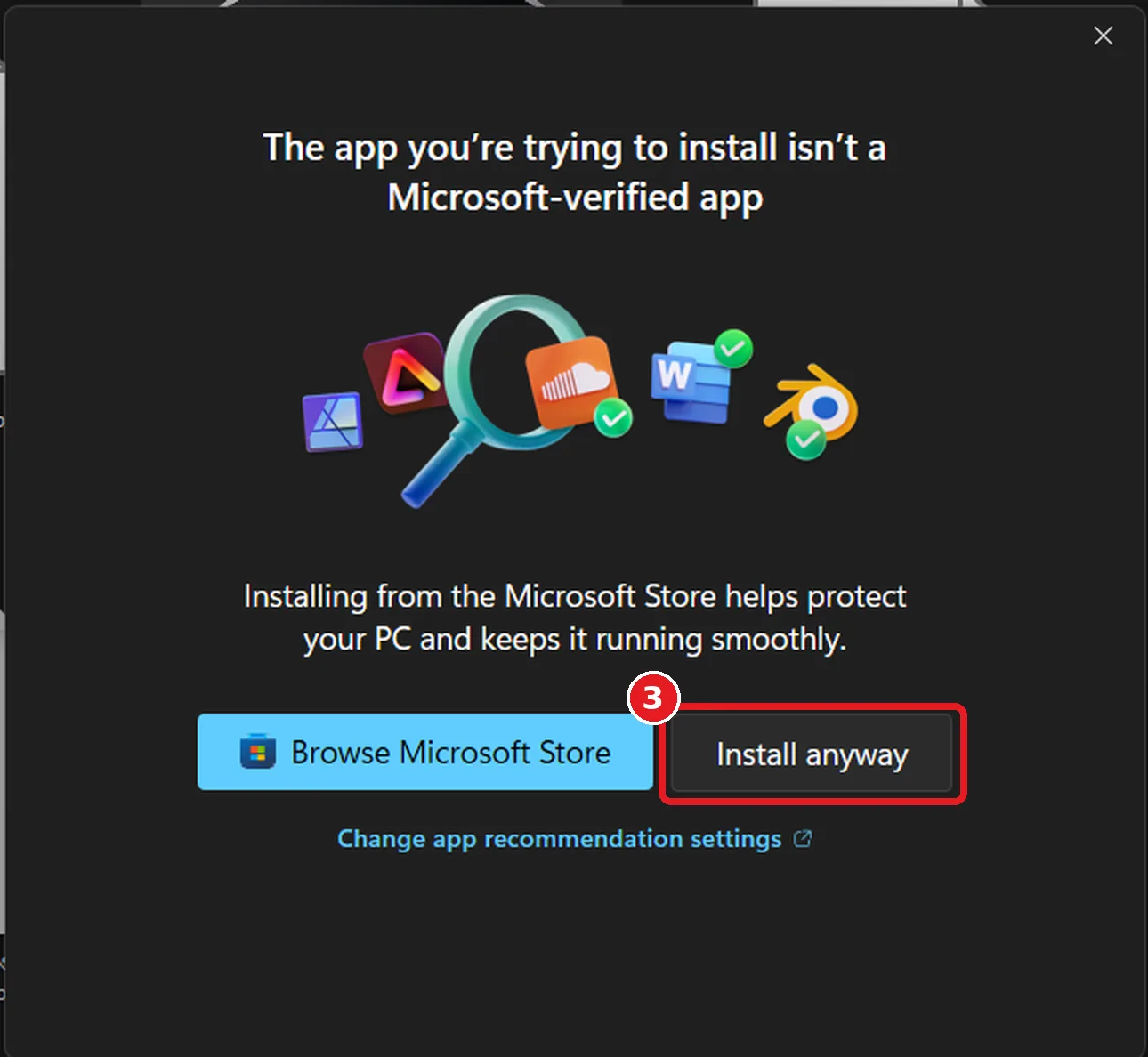
Step 3: Review any additional install notice
Some PCs show a notice that the app is not Microsoft-verified. Only continue with Install anyway if you have verified the source and SHA-256 and trust the file. If your work or school manages the PC, ask your administrator instead of changing its security settings.
What happens next
Cursor Flow opens and sits quietly in your system tray. Sign in with your email, then pair your phone by scanning the code on your PC. Complete the setup wizard, then open Cursor Flow. Windows may show another warning for a later release, so verify each new download.
Verify before you run it
- Only download Cursor Flow from cursorfllow.com/download. Do not use an unknown mirror or a link sent by a stranger.
- Check that the downloaded filename, version, file size and SHA-256 match the corresponding file on the download page.
- Keep the downloaded file if you need to contact support; do not rename it before reporting a problem.
- Cursor Flow never types into password fields. Read more on our security and data page.
Questions
Should I click “Run anyway”?
Only if you downloaded the file from cursorfllow.com and verified the filename and version. If you are unsure, cancel and email hello@cursorfllow.com.
Why isn’t Cursor Flow signed yet?
This early release is distributed without code signing while we keep the product lean. We plan to add signing as the release process grows.
My antivirus also warned me. What should I do?
Stop and contact us first. Do not disable Windows security tools just to install Cursor Flow. Send the exact version and warning to hello@cursorfllow.com.
I clicked “Don’t run” by mistake.
No problem. Open the downloaded file again and follow the steps above.