Cursor Flow
Phone Call Anxiety at Work: 10 Ways to Make Calls Easier
Dread phone calls at work? Why phone anxiety is so common, plus 10 practical ways to prepare, get through the call and move more contact to writing.
On this page
I am an introvert, and like many introverts I prefer writing to talking. This guide comes from that point of view. It is practical, not clinical. If your anxiety is severe, please see the note on getting help near the end.
Why phone calls feel so stressful
Calls combine several things that are hard for anxious or introverted people:
- No thinking time: You have to answer on the spot.
- No visual cues: You cannot see if the other person is confused, bored or happy.
- Unpredictability: You do not know exactly what they will ask.
- An audience: At a shared desk, colleagues hear your half of the call.
- No record: You worry you will forget something important.
The NHS page on social anxiety lists worrying about "speaking on the phone" as one of the possible signs. That does not mean everyone who dislikes calls has social anxiety. It does mean the feeling is common enough to be listed.
Before the call
1. Write a three-line script
- Line 1: who you are and why you are calling.
- Line 2: the one thing you need.
- Line 3: how you will end ("Thanks, I will email a summary.").
You will not read it word for word, but it stops your mind going blank.
2. List the likely questions
Write down two or three things they might ask, with short answers. Most calls follow a predictable pattern once you think about it.
3. Choose your time
Anxiety grows while you wait. Set a fixed slot, for example 10:00, and make all your calls then. Waiting all afternoon for the "right moment" is worse.
4. Choose your place
If your desk feels too public, book a small room or a phone booth. Being overheard is a big part of the stress for many people, and removing it helps a lot.
During the call
5. Have notes open
Keep a document open to write down names, numbers and decisions. If typing is loud or awkward, write on paper or on your phone.
6. Use phrases that buy time
- "Let me check that and get back to you."
- "Can you say that again so I write it down correctly?"
- "I will confirm by email this afternoon."
These are normal, professional phrases. Nobody expects you to know everything instantly.
7. End on purpose
Many people stay on calls longer than needed because they do not know how to end. Use your third script line: "Great, that is everything I needed. I will email a summary. Thanks."
After the call
8. Send a short written summary
This turns the call into something you can check. It also reduces the fear of forgetting, because the important parts are now in writing.
Writing summaries after every call adds up. If you dictate them, you are back to talking at your desk. A close mic, like your phone held near your mouth, lets you speak softly. Cursor Flow is built for that: you speak quietly into your Android phone and the text appears at your Windows PC cursor in your email or chat. I explain how phone to PC works here.
Long term
9. Practise with easy calls
Exposure in small steps is one of the most common ways people get more comfortable. Start with low-stakes calls, like booking or confirming something, and build up. Each call you finish is evidence that you can do it.
10. Move what you can to writing
Not every conversation needs to be a call. Ask:
- "Could you email me the details so I have them in writing?"
- "Shall we sort this in chat and call only if needed?"
Frame it as a benefit for both sides. Written requests leave a record and reduce mistakes. Many workplaces are moving this way already. I wrote more about writing at a shared desk in how to write at work without talking to your laptop.
Why it feels worse at a shared desk
Phone calls in an open office have an extra layer: your colleagues hear you. That pressure is the same one that makes voice typing feel awkward at work. When you know people can hear, you speak differently, second-guess more and want it over quickly. Moving important calls to a room is not avoidance. It is a sensible way to remove one stress so you can focus on the call itself.
When to get help
Talk to a doctor or a mental health professional if:
- You avoid calls even when it causes problems at work.
- You feel panic symptoms before or during calls.
- The fear is spreading to other situations, like meetings or meeting strangers.
Therapy approaches like CBT are often used for social anxiety, and a professional can help you decide what fits you.
How to do this with Cursor Flow
- Install both apps. Get Cursor Flow for Windows and Android from the download page.
- Pair once. Open the phone app and scan the QR code shown on your PC. See pairing if you get stuck.
- Click into any text field, then speak or type. Speak softly into the phone held close, or type and tap Send. The words are typed at your PC cursor, in the app you already use.
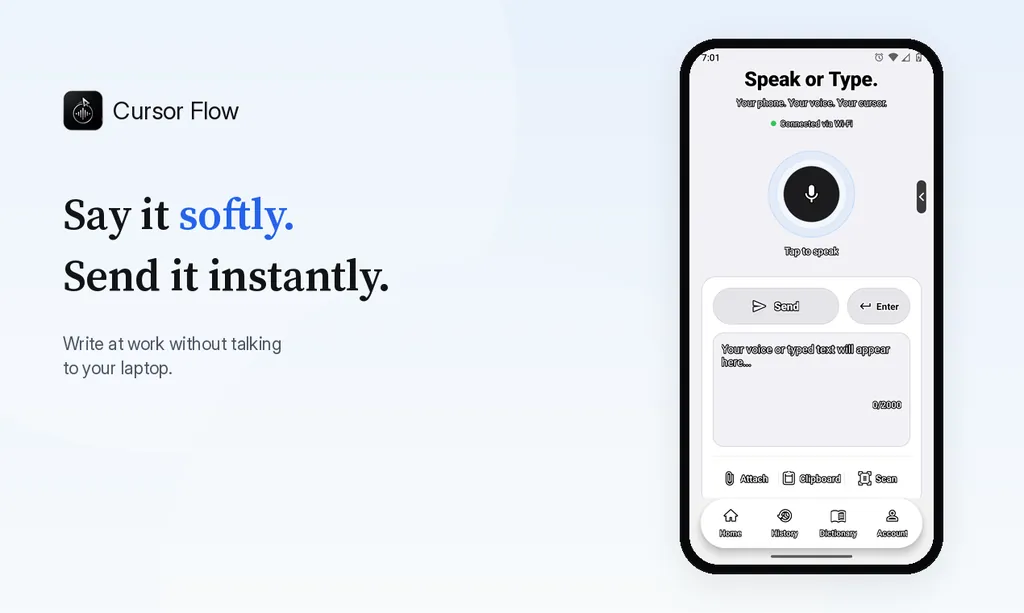
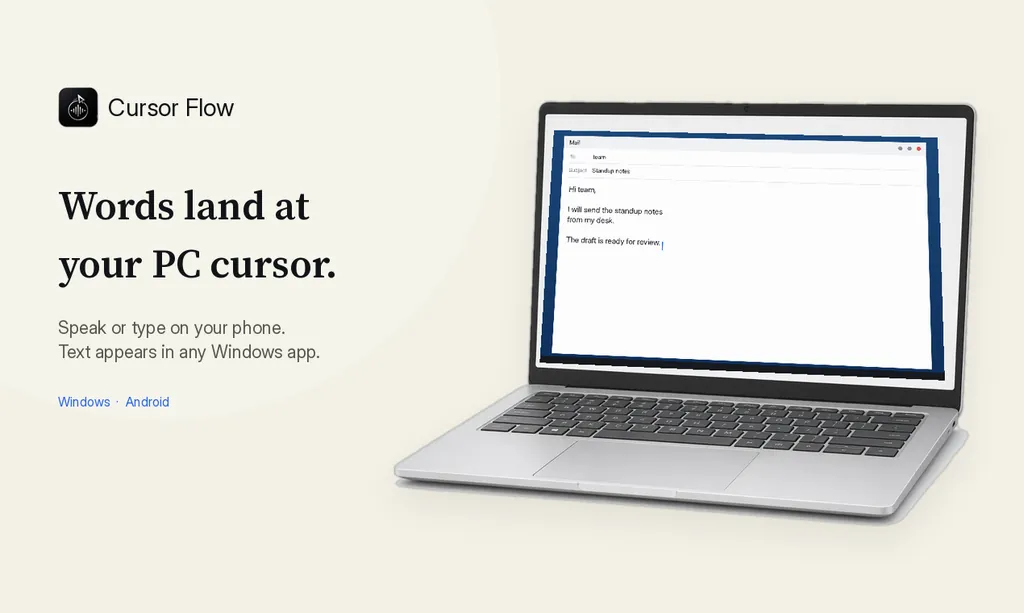
The free plan includes 2,500 dictation words a week, typing on your phone into your PC cursor, phone-to-PC files, images and clipboard, and Scan. See pricing, how phone to PC works, and silent typing from your phone.
FAQ
Why do phone calls make me anxious?
Calls are live, unpredictable and give you no time to think. You cannot see the other person's face, and at work you may also feel that colleagues are listening.
Is phone anxiety a sign of social anxiety?
It can be. The NHS lists worry about speaking on the phone as one possible sign of social anxiety. Many people only dislike calls, though, without having a wider condition.
How do I get over phone call anxiety at work?
Prepare a short script, make calls at a set time, start with easy calls and take hard ones in a private room. Exposure in small steps tends to reduce the fear over time.
Can I ask to use email instead of calls?
Often, yes. Many requests work better in writing because there is a record. Offer it as a benefit: "Could you email me the details so I have them in writing?"
If you want to write your call summaries without talking out loud at your desk, try Cursor Flow free.
- 57languages
- 2,500free words a week
- Windows + Androidone paired workflow