Cursor Flow
Is It Rude to Dictate at Your Desk? Voice Typing Etiquette
Is voice typing at your desk rude? Simple etiquette rules for dictating in a shared office: volume, timing, privacy and how to tell your neighbours.
On this page
- Why dictation at a desk feels different from a phone call
- Rule 1: Keep your volume low
- Rule 2: Dictate in bursts
- Rule 3: Respect quiet times and quiet zones
- Rule 4: Tell your neighbours once
- Rule 5: Never dictate confidential things in the open
- Rule 6: Do not make others hear your corrections
- Rule 7: Have a no-voice fallback
- What about booths and meeting rooms?
- A simple etiquette checklist
- How I think about it
- What to say if someone asks you to stop
- How to do this with Cursor Flow
- FAQ
- Keep reading
Dictation at work is becoming more normal. People in dictation communities on Reddit regularly ask, as in this r/WisprFlow thread, how others handle it in open offices, and the same worries come up again and again: "Will people think I am talking to them?" and "Am I annoying everyone?" This guide gives simple rules you can follow.
Why dictation at a desk feels different from a phone call
A phone call is a social activity people understand. Dictation looks like talking to yourself. Colleagues may look up, think you are talking to them, or hear half-finished sentences you would never say in a meeting. That is why etiquette matters a bit more for dictation than for calls.
Rule 1: Keep your volume low
The biggest etiquette rule is volume. A laptop mic far away makes you speak up. A close mic lets you speak softly.
- Headset with a boom mic: close to your mouth, good for long sessions.
- Phone held near your mouth: about 10 to 20 cm, good for short bursts.
- Laptop mic: only for private rooms.
We compare the options in headset vs phone mic for office dictation. A simple test: if someone two desks away can follow your sentences, you are too loud.
Rule 2: Dictate in bursts
Long monologues are what bother people most. Say a sentence or two, stop, check the text, then continue. It sounds more like normal working murmur and less like a speech.
Rule 3: Respect quiet times and quiet zones
- Do not dictate in designated quiet areas.
- Pause when the room is silent, for example when most people are reading or in deep work.
- Avoid dictating right next to someone who is on a call.
Rule 4: Tell your neighbours once
A one-time explanation prevents confusion: "I use voice typing for emails sometimes. If you hear me muttering, I am not talking to you. Tell me if it ever bothers you."
Most people appreciate being asked. It also gives them a clear way to raise it if it becomes a problem.
Rule 5: Never dictate confidential things in the open
Even at low volume, the person next to you may catch some words. Do not dictate:
- Salary, performance or HR topics.
- Health information.
- Client secrets or legal details.
- Passwords or codes.
Type those, or move to a private room. Some tools, including Cursor Flow, also avoid typing into password fields, but the real risk is people hearing you, not the software.
Rule 6: Do not make others hear your corrections
"Delete that. No, scratch that. Comma." is the most distracting part of dictation for listeners. Use a tool that cleans up filler words and punctuation for you, or fix mistakes with the keyboard.
Rule 7: Have a no-voice fallback
Some moments call for silence. A meeting room, a library-like atmosphere, a colleague concentrating hard. Have a way to keep writing without speaking. That can simply be your keyboard. In Cursor Flow you can also type on your phone and the text lands at your PC cursor, which is handy if you are holding the phone anyway.
What about booths and meeting rooms?
Phone booths solve the noise problem, but they are often booked, and walking to one for every email is slow. In practice, most people use booths for longer sessions and private topics, and dictate short things quietly at their desk. We compared both in quiet dictation vs buying a booth.
A simple etiquette checklist
| Situation | OK to dictate at desk? |
|---|---|
| Short email reply, low voice, close mic | Yes |
| Long report draft | Better in a room, or in short bursts |
| Room is silent, people reading | Pause or type |
| Colleague on a call next to you | Wait |
| Confidential topic | No, type or move |
| Quiet zone | No |
How I think about it
I am an introvert, and I never wanted to be the person talking at their desk. That is why Cursor Flow was built around holding the phone close and speaking softly, with typing on the phone when speaking is not possible. But the etiquette above works with any tool. The full method for quiet dictation is in how to dictate in an open office without being heard.
What to say if someone asks you to stop
Sometimes a colleague will tell you it bothers them. That is fine, and how you respond matters more than the dictation itself.
- Thank them: "Thanks for telling me."
- Offer a change: "I will keep it shorter and quieter, and I will type when you are focusing."
- Agree on a signal: A quick message or a tap on the desk is easier than a big conversation every time.
Most people only want to be asked. Showing you care usually ends the problem.
How to do this with Cursor Flow
- Install both apps. Get Cursor Flow for Windows and Android from the download page.
- Pair once. Open the phone app and scan the QR code shown on your PC. See pairing if you get stuck.
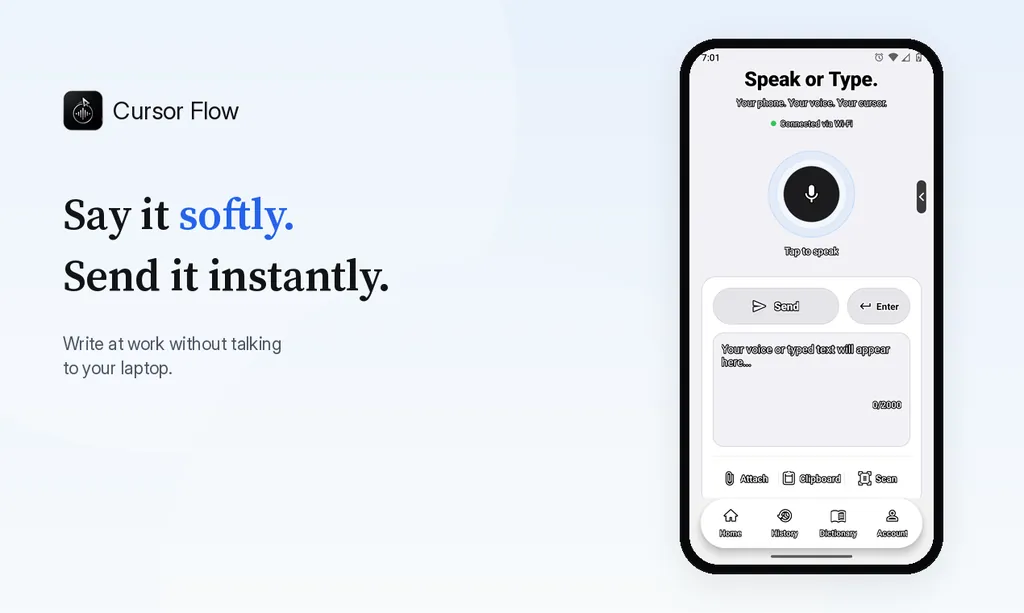
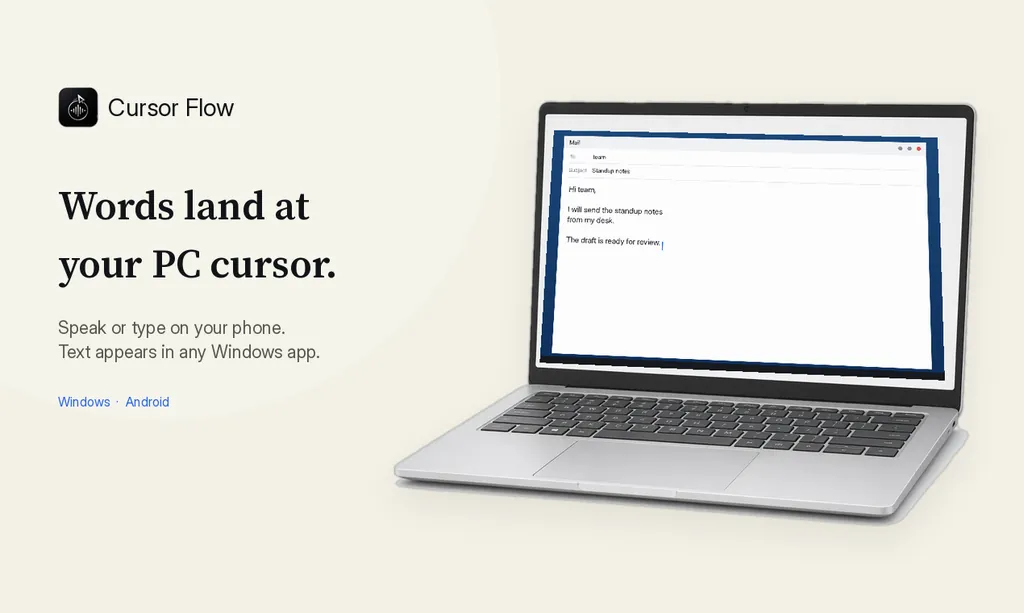
- Click into any text field, then speak or type. Speak softly into the phone held close, or type and tap Send. The words are typed at your PC cursor, in the app you already use.
The free plan includes 2,500 dictation words a week, typing on your phone into your PC cursor, phone-to-PC files, images and clipboard, and Scan. See pricing, how phone to PC works, and phone as a PC microphone.
FAQ
Is it rude to use voice typing in an open office?
Not if you keep your voice low, dictate in short bursts and avoid quiet hours. It becomes rude when it sounds like a long phone call next to someone trying to focus.
Should I tell my coworkers I am dictating?
Yes, once. A short explanation stops people thinking you are talking to them or on a call, and lets them tell you if it bothers them.
How loud should I dictate at work?
As quietly as your setup allows. With a close mic, a low conversational voice is enough. If people two desks away can follow your sentences, you are too loud.
What should I never dictate at my desk?
Anything confidential: salaries, health, HR matters, client secrets and passwords. Type those or move to a private room.
Want to try quiet dictation with your phone as the mic? Download Cursor Flow. The free plan has 2,500 words a week and needs no card.
- 57languages
- 2,500free words a week
- Windows + Androidone paired workflow